
Invite me to be your hunter
So you'd like me to be your hunter or I've offered to be your hunter. Great!
Product Hunt has changed how sharing works for scheduled and draft launches, so you'll need take a few steps to confirm me as your hunter.
There are two links I'll need from you:
- Your launch page link, set so anyone with the link can see it (see below). This is required for me to review your launch.
- Your hunter invite link. This is what enables me to accept your invitation join your launch as its hunter.
One link doesn't do the job of the other: a launch page link doesn't invite me, and an invite link doesn't let me see your page. Send both together.
Before you start
- Finish your materials. I review your launch before I accept the invite, so make sure launch page's tagline, description, gallery, and maker comment are ready for a final look — not a first draft.
- Leave yourself time. Send both links at least 48 hours before launch day (unless otherwise arranged) so there's room to act on my feedback. Same day requests are typically rejected.
Step 1: Make your launch visible to anyone with the link
Scheduled and Draft launches are private by default. Until you change that, your page won't show your launch materials.
- Find the Share / privacy control on your launch page.
- Change it from Team to Public (Anyone with the URL can open).
- Click outside the dropdown to save.
- Copy the launch page URL. It should look like this:
https://www.producthunt.com/products/product?launch=launchName.
Check it before you send it. Open the link in a private or incognito window where you aren't signed in. If you see your launch, I will too. If you see a lock or an error, the setting didn't save.
Only people with the link can see the page. It shouldn't show up in search or elsewhere before launch day, but people could guess the link so make sure nothing secret is included in your launch materials.
Step 2: Invite me to be your hunter
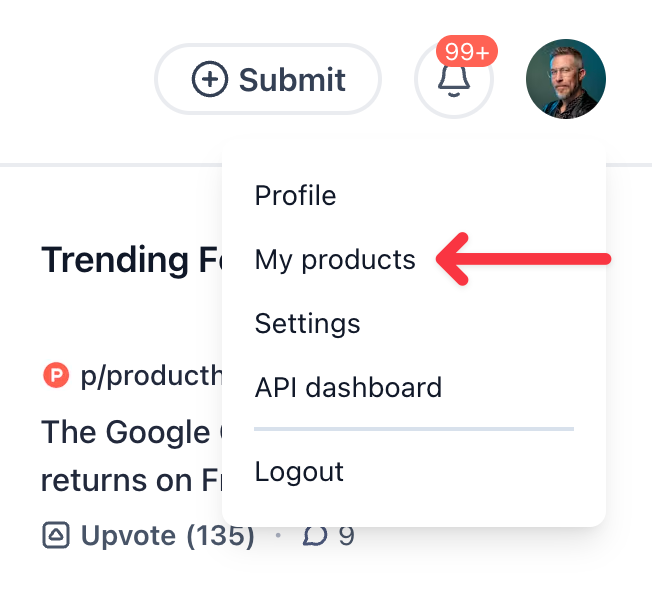
- Open the launch you scheduled and click Edit.
- Still in your launch, go to the Hunter & Makers section.
- Search for
chrismessina(username @chrismessina). Make sure it's me, and not someone with a similar name. - Invite me as Hunter, not Maker.
- Copy the invite link Product Hunt gives you.
While you're here, add your makers too: two to five real people from your team, each with a photo, a bio, and a connected account.
Step 3: Send me both links
You can send it via my Contact form, or reach out over DM.
What happens next
- I review your launch page and send notes if I have any.
- When it's ready, I accept your invite and my name appears as your hunter.
- On launch day your launch goes live at 12:01 AM Pacific. Be there when it does, having already posted your maker comment, and start sharing the direct link to your launch.
Troubleshooting
I can't find the Hunter & Makers section.
Your launch probably isn't scheduled yet. Schedule it, then look again.
I sent the link, but you said the page is locked.
The privacy setting is still private. Go back to Step 2 and test the link in an incognito window.
I can't find you when I search.
Search for my username without spaces: chrismessina.
I invited the wrong person.
Remove them in Hunter & Makers and invite @chrismessina instead.
My invite link stopped working.
Generate a new one in Hunter & Makers and send that.
Does having a hunter boost my ranking?
Unclear. Product Hunt doesn’t rank launches by who hunted them, but you may be more likely to be featured if you're hunted by someone with high kitty points. But what matters most is how real people respond to your launch throughout your entire launch day.
Should I change my launch date now that I've invited you?
You can, but tell me since I may have other launches already scheduled on that date.
Want to go deeper on your launch? Book a call or drop me a note.